Construction & EPC
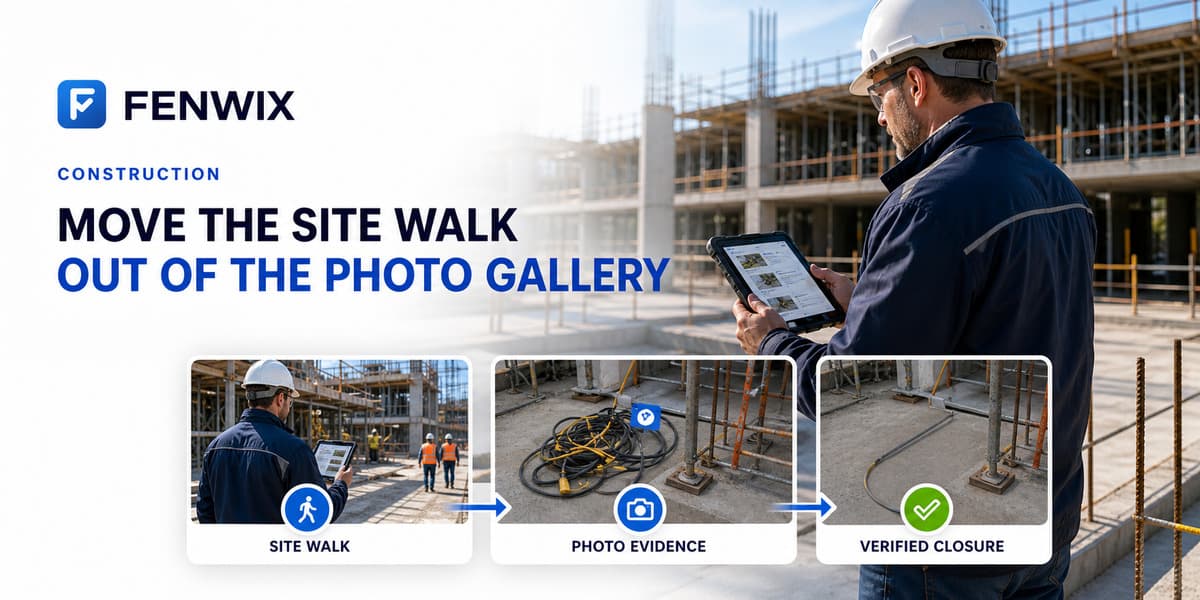
Move the site inspection out of the photo gallery.
Fenwix runs construction safety inspections offline, links each failure to evidence, turns it into a corrective action with responsibility and timing, and generates a PDF report from the field record.
Where is the record between seeing a hazard and verifying its closure?
A missing guardrail is found during a safety walk, photographed on a phone and discussed at the site meeting. The image remains in a personal gallery, responsibility remains in messages and the due date remains in another list. Fenwix keeps these parts with the inspection item: the failed answer, photo and note, risk level, corrective action, responsible person, due date, submitted correction evidence and verification result.
A safety walk with Fenwix
- 1Open the Daily Safety Walk or General Construction Safety template without waiting for connectivity
- 2Record the item as pass, fail or not applicable
- 3Photograph the hazard so the capture source and file-write content hash are retained
- 4Add the risk level, corrective action, responsible person and due date
- 5Attach correction evidence when it arrives and keep verification as a separate step
- 6Generate the PDF on the device with company identity, findings, evidence and open actions
Context retained by the record
- Before and after photos with recorded capture source
- SHA-256 content hash created when the file is written
- GPS coordinates and accuracy where captured
- Risk, responsibility, due date and overdue state
- Scaffold and equipment history linked by QR or code
- Revisions for corrections to completed records
- Report identity that can be compared with the source record
Templates used in this field
Common questions
Does it work in basements and shell buildings with no signal?
Yes. Completing the inspection, recording evidence and generating the PDF are part of the core offline workflow. Sharing through an external service remains subject to that service and its connectivity requirements.
Can I assign a finding to a subcontractor?
A responsible person or subcontractor name can be recorded and a due date can be set. The current Solo product records responsibility but does not provide automated notifications or a shared team workspace.
Does Fenwix guarantee regulatory compliance?
No. Fenwix structures the inspection and evidence record. Checklist selection, regulatory interpretation, competent-person decisions and site responsibility remain with the user and the relevant organization.
Can a client verify the report remotely?
Current verification runs on the device that holds the source inspection record. It is not a public online verification service.
Does the photo hash prove that the image is true?
No. The content hash helps check whether the compared file matches the recorded version. It does not independently prove what the image means or whether a field statement is true.
Complete the next inspection in one field record
Start with 24 hours of free local work. No Fenwix account is required for the core workflow.