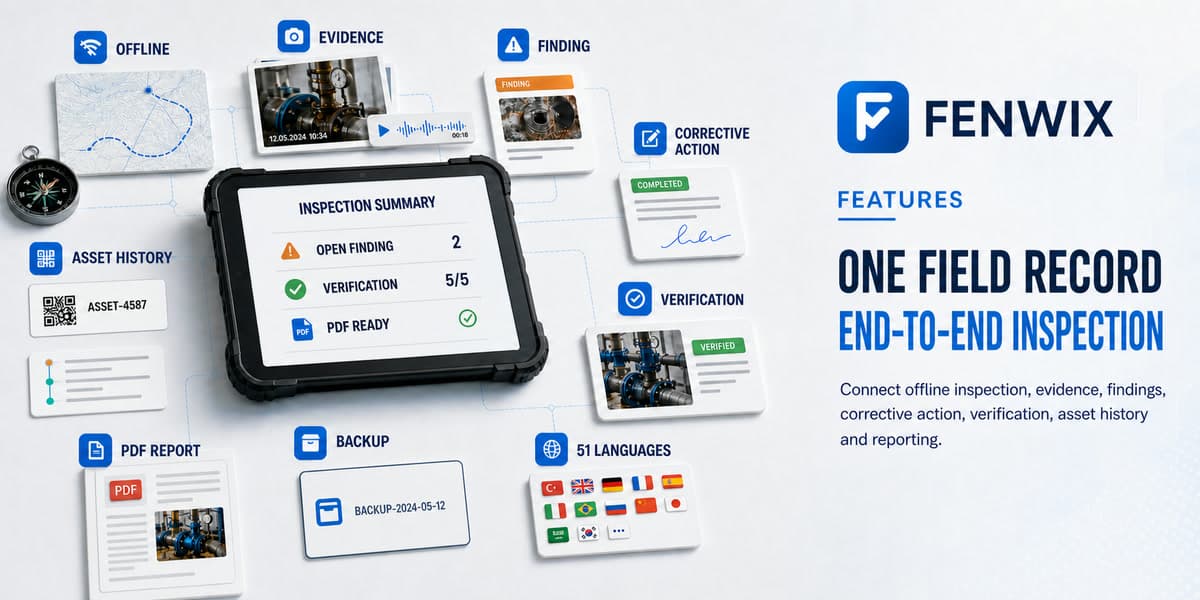
Fenwix does more than collect checklist answers. It connects the inspection, evidence, finding, corrective action, verification, asset history and report in one field record. The core workflow requires neither an internet connection nor a Fenwix account.
Offline inspection
The place that needs inspection is often the place with the least reliable connectivity.
Answers, notes and inspection progress are written to encrypted app-private local storage. The core inspection workflow does not wait for a cloud synchronization step.
The inspection can continue when the connection cannot.
Evidence capture
A checked box does not show what the decision was based on.
Photos, audio notes, written context and supported location data are attached to the relevant inspection item. Photo source is recorded, a SHA-256 content hash is created when the file is written, and annotations remain separate from the original image.
Every answer retains the material that supports it.
Findings & corrective action
When failures remain in photo galleries and conversations, responsibility, timing and closure become difficult to trace.
A failed item becomes a finding with a risk level, corrective action, responsible person, due date, emergency measure and root cause. Fenwix records responsibility; the current Solo product does not send automated team notifications.
Every finding has a defined action and a traceable time frame.
Verification & revisions
Submitting correction evidence does not by itself show that closure was verified.
Evidence submission and verification remain separate steps. A correction to a completed inspection creates a new revision instead of silently replacing the completed record.
The record shows what changed and which revision is being reviewed.
Asset history
When equipment history is spread across forms, the latest inspection, open findings and service state cannot be reviewed together.
Scanning an asset code or QR opens the inspections, open findings, next due date and service state available in the same local data context.
A new inspection begins with the previous asset history available.
Reports
Retyping field information later introduces delay and loses context.
The PDF is generated on the device. Company identity, report number, revision, compliance summary, findings, evidence, visual signatures and verification information are organized into one output.
A handover-ready report can be prepared while the inspection record is still current.
Backup & continuity
A field archive tied to one device is exposed when that device is lost or replaced.
Full export packages records, photos, audio and visual signatures into a file stored wherever the user chooses. Quick copies contain records only. Supported restore operations remain available for historical access.
The user controls where the archive is retained.
Accessibility & localization
Small controls, text-heavy interfaces and a single language make field use harder.
Fenwix supports 51 languages, large touch targets, controls that combine icons with labels and automatic saving designed for field operation.
The interface adapts more readily to different crews and working conditions.